The Buildref Beam & Frame Calculator computes the complete internal force diagrams for any beam or 2D frame: bending moment (M), shear force (V) and axial force (N), plus support reactions and deflection. Draw your structure in the browser, add supports and loads, and get clean diagrams instantly — no sign-up, no install.
Tip: click Fullscreen in the toolbar to work distraction-free.
Unlike most free tools that only handle simple beams, this calculator also solves frames (L-, T-, Z- and portal frames), uniform and trapezoidal distributed loads, inclined loads and internal hinges — exactly the problems that trip up basic calculators.
Who it’s for
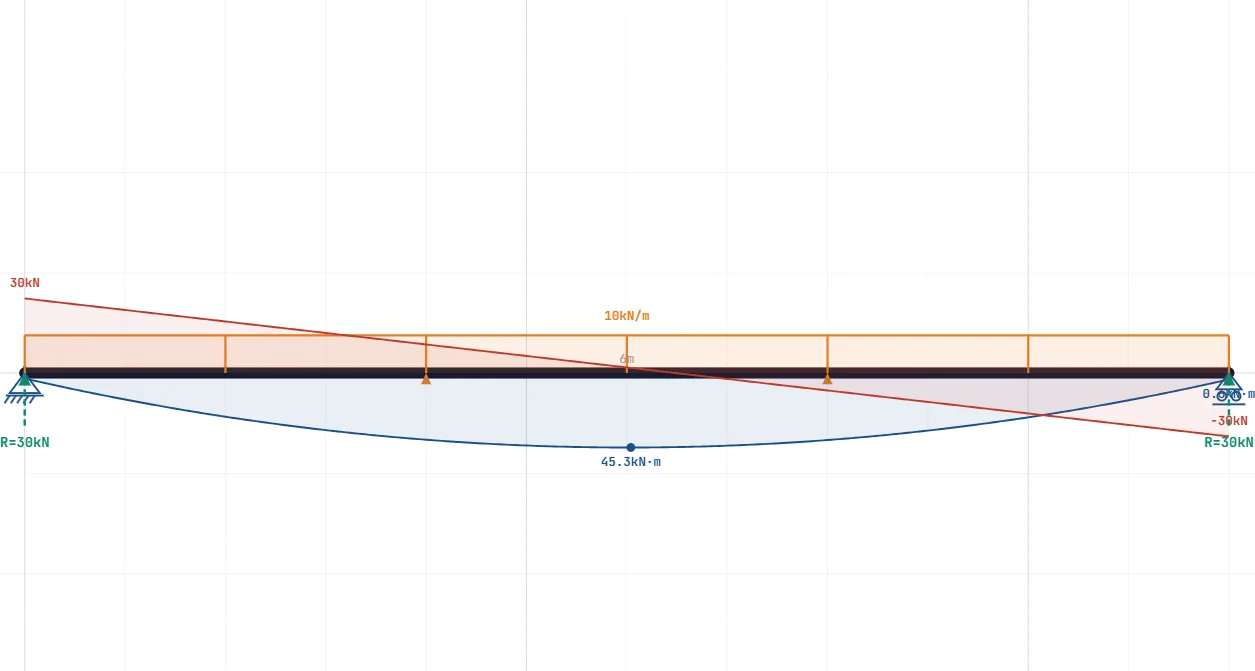
- Students (statics / mechanics of materials). Check your hand calculations for shear force, bending moment and reactions on simply supported, cantilever, continuous beams and frames.
- Engineers & designers. Fast preliminary check: sketch a beam or frame, apply loads, read max M / max V / reactions before opening full analysis software.
- Educators. Show shear and moment diagrams live; share by link and open fullscreen.
How to use it — 4 steps
- Draw the beam. Use the Draw tool to place your beam or frame members on the grid (Shift = ortho snap 0°/45°/90°).
- Add supports. Pin, roller (vertical/horizontal) or fixed — click where you want them.
- Apply loads. Point load, distributed load (uniform/trapezoidal) or moment. Vertical-down by default; “perpendicular to beam” is optional. Add hinges if needed.
- Calculate. Click Calculate to get the bending moment, shear (and axial) diagrams, support reactions and deflection. Export to PDF or share by link.
What you get
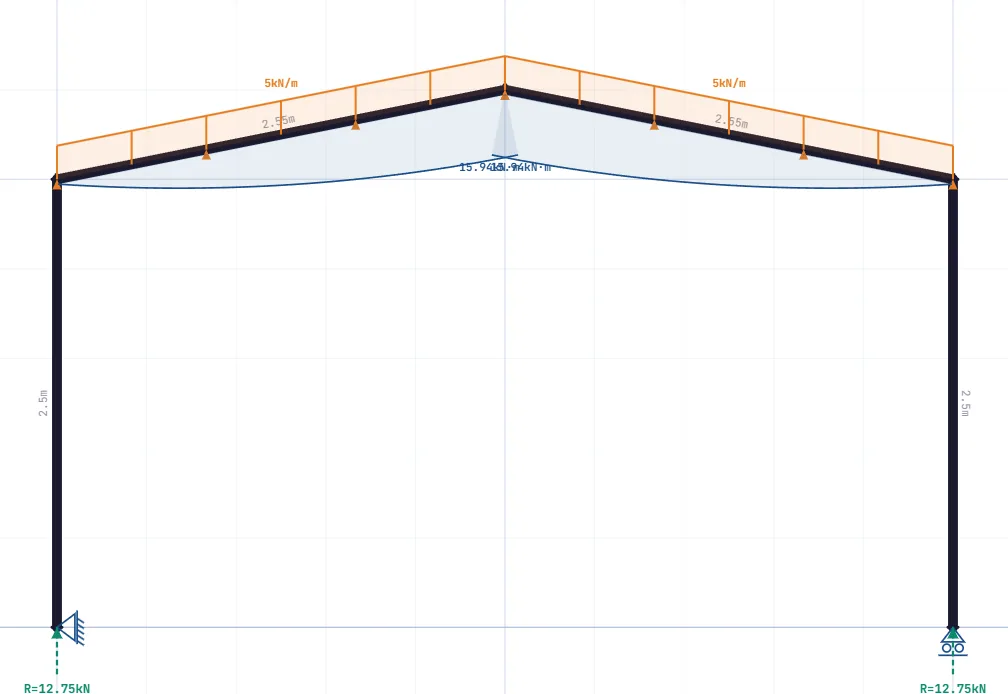
- Bending moment diagram (M) — max moment and full profile, selectable sign convention.
- Shear force diagram (V) — jumps at point loads, linear under distributed load.
- Axial force diagram (N) — important for frames and inclined members.
- Support reactions — vertical and horizontal components plus fixed-end moments.
- Deflection — with section/E to check limits (e.g. L/250, L/360).
Frames & hinges — the difference
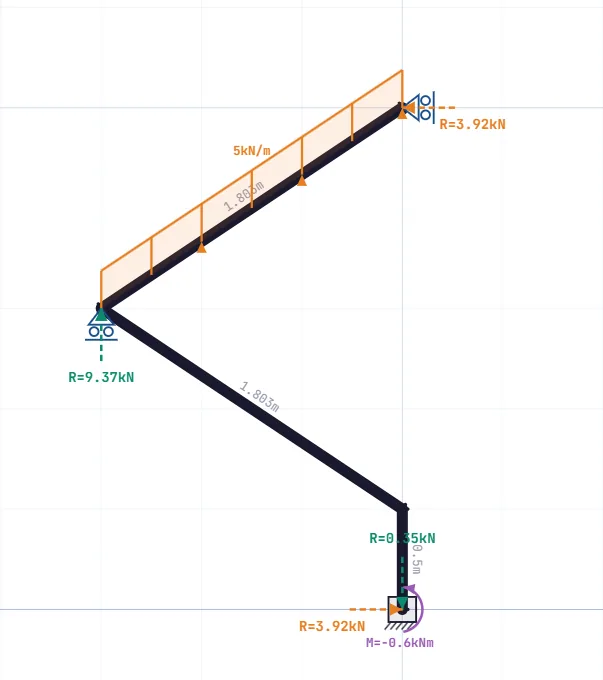
Most free calculators stop at the simply supported beam. This one solves statically determinate and indeterminate frames with the Direct Stiffness Method (FEA) — portal, L- and Z-frames, multi-member systems. Place moment-release hinges at any member end (moment goes to exactly zero there) to model Gerber beams and three-hinged frames. Unstable systems (mechanisms) are detected and flagged instead of returning wrong numbers.
Worked example: cantilever with a point load
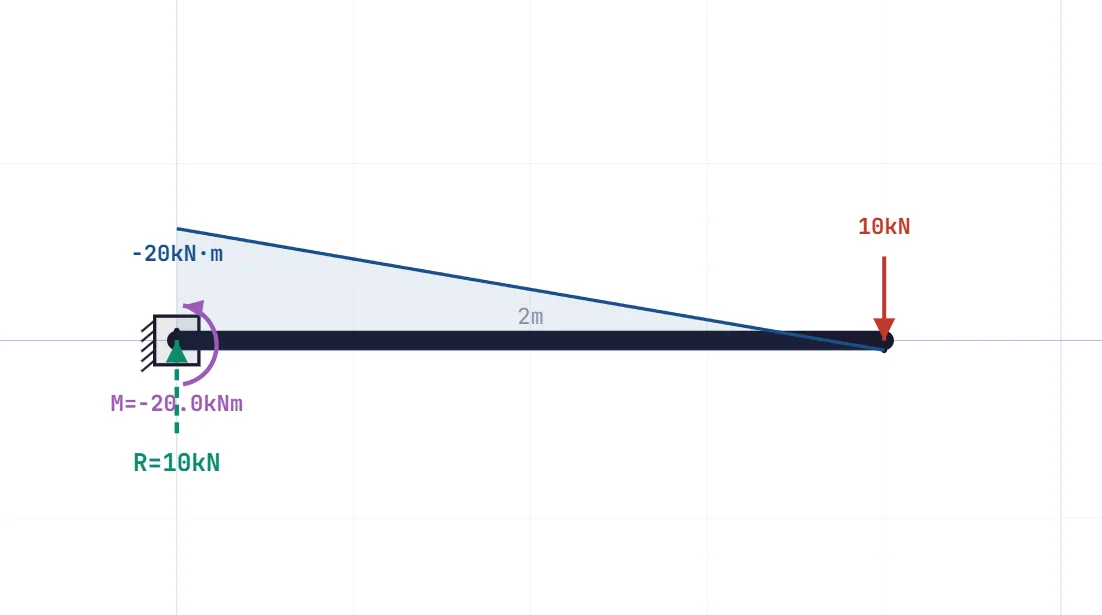
A cantilever of length L = 2.0 m with a point load F = 10 kN at the free end. The fixed support carries the whole load: reaction = 10 kN, fixed-end moment = F·L = 20 kN·m. The bending moment varies linearly from 0 at the tip to −20 kN·m at the support; the shear force is a constant 10 kN. Enter the same values above and compare — the diagrams appear in seconds.
Why Buildref
- Free & no sign-up — no trial, no account, no watermark.
- Beams AND frames in one tool — no switching between two calculators.
- No member limit — unlike some free versions capped at, e.g., 3 members.
- Distributed & inclined loads, hinges — not just point loads.
- Share & PDF export — for coursework and reports.
- Runs in the browser — nothing to install, works on mobile too.
Frequently asked questions
How do I calculate shear force and bending moment online?
Draw the structure, add supports and loads, click Calculate. The tool solves equilibrium and plots the N, V and M diagrams.
What’s the difference between N, V and M?
Axial (N) acts along the member, shear (V) perpendicular to it, bending moment (M) causes bending. Under point loads N and V are piecewise constant, M piecewise linear.
Can it do frames, not just beams?
Yes — portal, L, T and Z frames via the direct stiffness method, including axial forces in columns.
Which supports are available?
Pin, roller (vertical/horizontal) and fixed.
How do I add a hinge and what does it do?
Click a member end with the hinge tool; the bending moment becomes zero there, which lets you model Gerber beams and three-hinged frames.
Can I apply distributed and inclined loads?
Yes — uniform/trapezoidal distributed loads and loads at any angle.
How accurate is it?
It uses the direct stiffness (FEA) method and was verified against established structural software. Always have critical values checked for design.
Is it free? Do I need an account?
Fully free, no sign-up, no limit on the number of load cases.
Can I save or share the result?
Yes — a share link (the model is stored in the URL) or a PDF export.
Does it work on mobile?
Yes; use fullscreen for focused work.
Text and illustrations on this page are licensed under CC BY-NC-ND 4.0. The calculator itself is free to use for any purpose, including professional and commercial work.